


How to Use GPT Image 2.5 on Picsman
-
Add Your Prompt or Photo
Enter a prompt describing your image, or upload a reference photo and choose Edit Image.

-
Choose Your Settings
Select GPT Image 2.5, then choose the aspect ratio and quality available for your task.

-
Generate and Download
Check the credit cost, select Generate, then review and download your image in the editor.

What Can You Create with GPT Image 2.5?
Explore ideas for product images, posters, characters, and
illustrated scenes. Describe the details you need, then
review and refine the result.
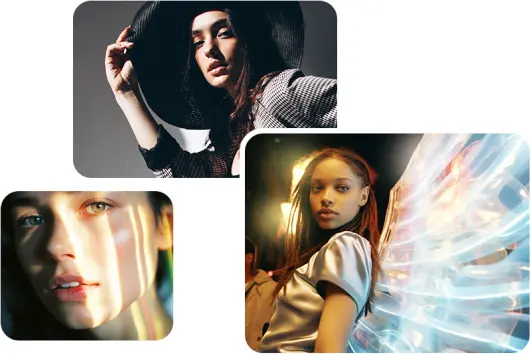
Product Images and Portraits
Describe the subject, background, lighting, and
composition to create product concepts or portraits. Use
a reference photo when you want to edit an existing
image.
For a product concept, try specifying a neutral
backdrop, soft side lighting, and space for a headline.
For portraits, describe the pose and mood. Adjust one
detail at a time to compare compositions and find an
image that fits your project.
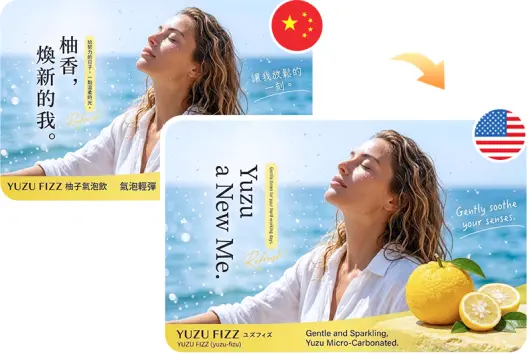
Posters and Social Media Graphics
Include the exact wording, layout, and style in your
prompt. Review spelling and text placement before using
the result in a poster, ad, or social post.
Build your prompt around a clear message: a product
launch, event announcement, or seasonal offer. Specify
the headline, supporting copy, and where each should
appear. Choose an aspect ratio suited to your placement,
leaving room for any logos or finishing touches you plan
to add.
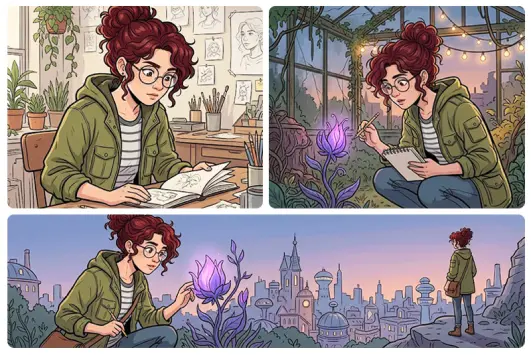
Characters and Visual Stories
Describe character features, clothing, and style for
comics or storyboards. Use reference images when
editing, and check consistency across the finished
images.
Start with a short character description that you can
reuse: hairstyle, key colors, accessories, and visual
style. Add the action and setting for each scene. When
editing a reference, explain which details should stay
and which should change, then review the images together
as a sequence.
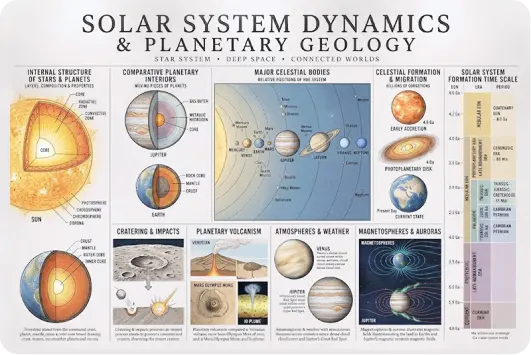
Illustrations and Educational Scenes
Turn a scene description into an illustration for a
presentation or creative project. Check factual details
and labels before using educational visuals.
Describe the main idea, the objects to include, and how
they relate to each other. Ask for a simple composition
when the image needs to support an explanation. Refine
crowded areas or unclear elements, and add final labels
yourself when precise wording or placement matters.
More useful tools from Picsman
More useful tools from Picsman




Get Picsman APP now
Download our mobile app and enjoy editing photos on the go —
anytime, anywhere.




All-in-one photo editor with powerful AI. Contact us:
support@picsman.ai


Free Tools

Copyright © PICSMAN INC.
Terms of Use
|
Privacy Policy
|
Billing Policy
|
Cookie Policy

English

GPT Image 2.5 FAQs
What is GPT Image 2.5 on Picsman?
Can I edit a reference image?
How do I start creating an image?
How many credits does GPT Image 2.5 use?