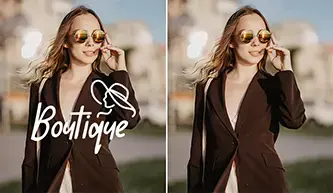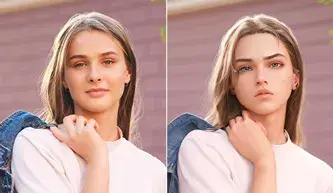
AI Expand your images for free in seconds with AI Photo
Expander
Or drag an image here
No image? Try these
How to expand an image with AI online?
Use Picsman's free AI Image Expander to easily expand your
photos to any size or ratio in few seconds
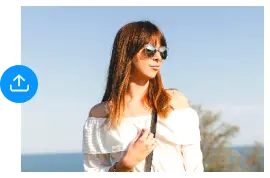
Upload Image
Select the image you want to expand and upload it
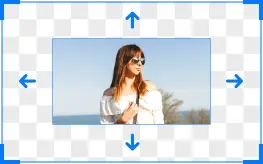
Expand image
Adjust the extension size or aspectratio, click 'Expand' to
magically extend your image with AI.
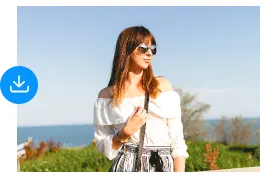
Download Image
Then download your image and you're done! You can also save
images in Picsman by creating an account
Get a peak outside of what the lens captured with AI image
extender
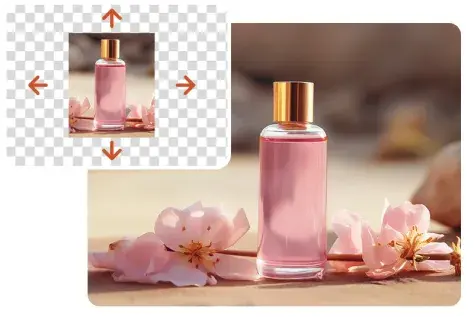
Picsman's Magic Expand tool generates new content that
blends seamlessly with original images. Expand your photos
to show more details and enhance visual impact without
sacrificing original image quality and appearance. Use AI to
explore the infinite possibilities of images and enrich your
visual content
Magically expand your images naturally and realistically,
and fix imperfections in your images
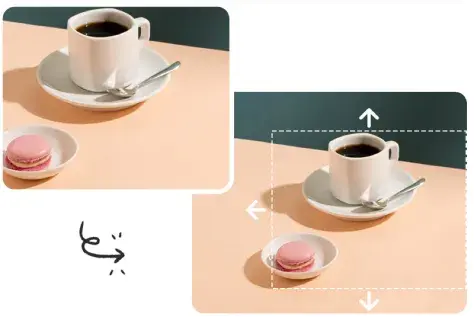
Advanced AI Outpainting technology seamlessly expands your
picture to fill the rest of the image. Image expansion tools
let you fix over-cropped images, fix awkward framing, zoom
in on an image, or turn a vertical shot into a horizontal
one. Ensure that each extended image is a perfect
continuation of the original image
Enlarge images to different sizes to provide better visuals
for any project or purpose
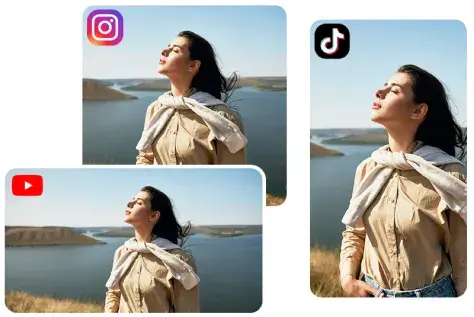
Picsman can expand your images in any direction, you can
select a specific aspect ratio or manually resize your
images. In just a few clicks, our automatic AI image
expander will extend your photos to your desired size. From
social media to marketing campaigns, take your images to any
other platform without stretching or cropping
Picsman's AI image expansion tool meets all your needs
Explore the potential of AI painting and explore the infinite
possibilities beyond the original image frame. Meet your daily
life, social media, e-commerce and all your needs
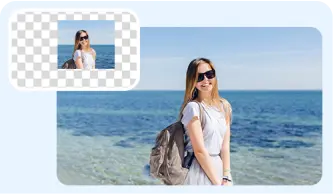
For Photography
Expand the background of your photos to fix poorly framed
and flawed photos
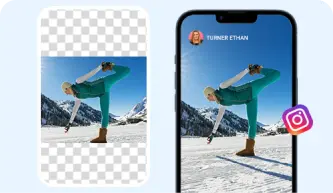
For Social Media
Resize images of any size to fit various aspect ratios for
different social media posts and stories
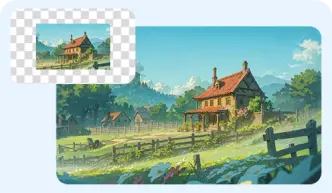
For AI-generated images
Enlarge your AI-generated art images to create more stunning
and detailed artwork
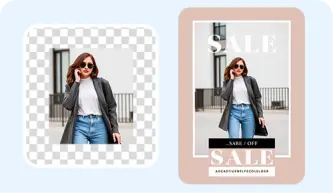
For Graphic Design
Expand your design stock images to fit your graphic design
projects more perfectly and have better effects

For E-commerce
Expand your product photos to create product flyers with
different visual effects and sizes
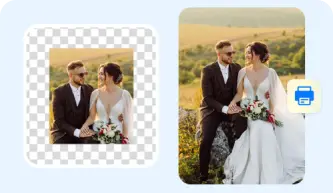
For Print Media
Widen images to fit printed formats such as posters, flyers,
and brochures while maintaining high resolution
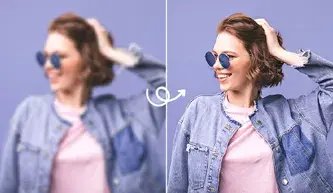
The Picsman AI photo extender has been a lifesaver for my
social media visuals, I can easily extend pictures and AI
photo extender to fit any aspect ratio. It's perfect for
YouTube thumbnails, Instagram posts, and even Twitter
banners.
Caleb Mitchell
Drive e-commerce sales
With the AI image extender online, l can expand my product
photos for different marketplaces without losing quality.
The tool helps me extend pictures effortlessly, ensyring
every product photo looks professional.
Emma Reynolds
Easily extend any image
The ability to AI extend pictures for my design projects.
Whether I'm working on website graphics or print designs,
the AI lmage Extender keep everything aligned with my
creative vision. No more tedious manual adiustments.
FAQs About Picsman’s AI Image Extender
1.What is an AI image extender/expander?
AI Image Expander/Extender is a tool that uses artificial
intelligence to expand the size of an image without losing
quality. It utilizes complex algorithms to fill in
additional details and seamlessly expand the image size,
generating context-appropriate elements to expand the
edges, effectively expanding the image while maintaining
visual coherence.
2.How do I expand an image without stretching its
contents?
You can use Picsman's AI Image Extender to automatically
resize your images and add new padding based on the
context of the original image. This means your images will
never look stretched or distorted, preserving the
integrity and beauty of your image.
3.How to expand the background of an AI image?
First upload your image, then select the size you want the
image to be, finally click the 'Expand' button, and AI
will automatically help you seamlessly expand the
background of the image.
4.Is it free to extend images with Picsman?
You can try the AI extender for free, but there is a
limited number of free expansion. If you need more
expansion, you can upgrade to Picsman PRO. We provide a
three-day free trial for the first upgrade, so you can
fully experience all our AI tools.
5.What image formats does Picsman AI image expander
support?
We support the most popular image formats today: JPG, PNG,
JPEG, WebP, BMP, TIFF, HEIC, etc., and allow users to
download high-definition images in JPG or PNG format.
Get Picsman APP now
Download our mobile app and enjoy editing photos on the go —
anytime, anywhere.
We use cookies to provide you with better experience. By
continuing, you acknowledge that you have read,understood
and agreed our
Cookie Policy.
FAQs About Picsman’s AI Image Extender
1.What is an AI image extender/expander?
2.How do I expand an image without stretching its contents?
3.How to expand the background of an AI image?
4.Is it free to extend images with Picsman?
5.What image formats does Picsman AI image expander support?